Count your stock
Do a stock count on the phone, see the differences and correct the stock in one go.
-
Step 1 of 2
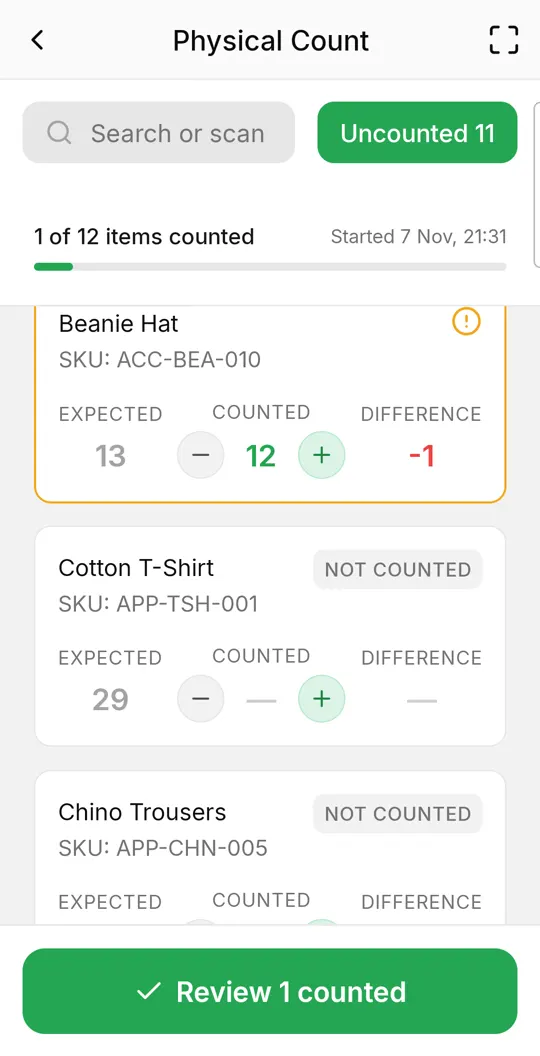
Count shelf by shelf
On the Inventory screen tap Count stock. For each product type what you count, or use − and +. Numou shows the expected quantity and the difference right away. Scan a barcode or search to jump to a product.
-
Step 2 of 2
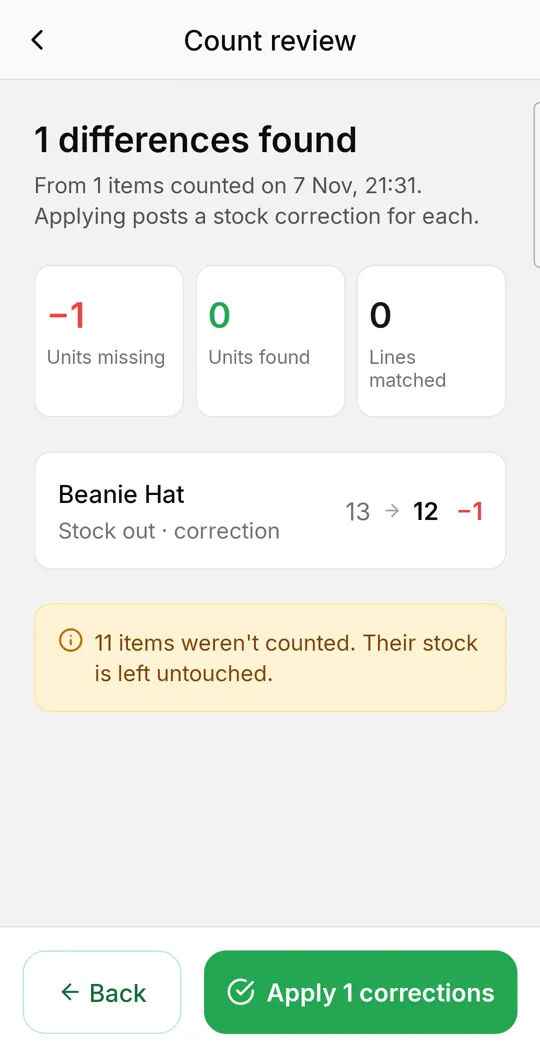
Review and apply
Tap Review when you are done. You see the units missing, the units found and the lines that matched. Products you did not count are left untouched. Apply to post one correction per difference.