Make your first sale
Ring up a sale in Numou: add products to the cart, take cash, card or mobile payment, give the right change and start the next order.
-
Step 1 of 4
Tap products to add them
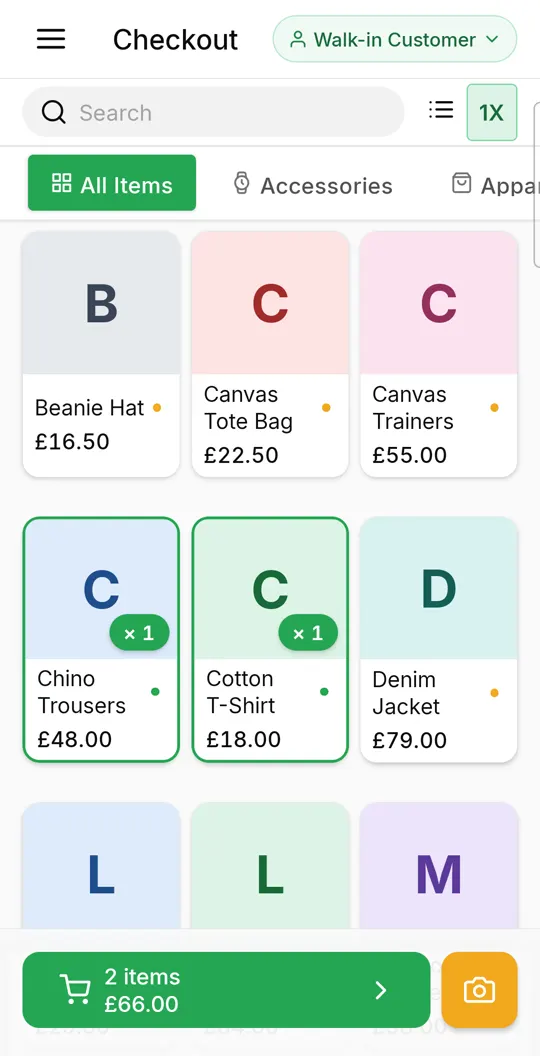
Open Checkout from the menu. Each tap on a product adds one to the cart, and the badge shows how many. Use the search, the categories, or the camera button to scan a barcode.
-
Step 2 of 4
Check the cart
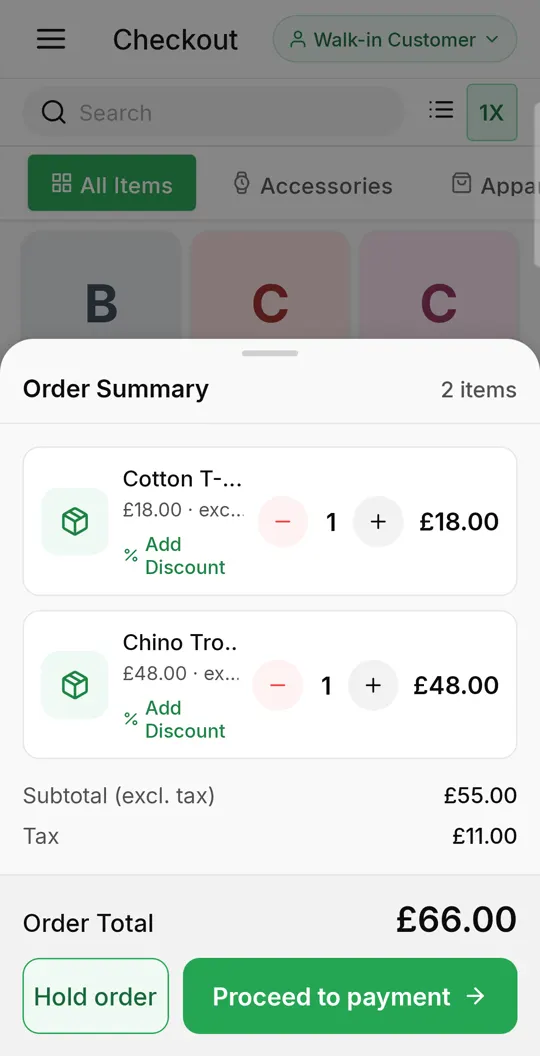
Tap the green cart bar to see the order. Change quantities with − and +, or tap Add Discount on a line. Then tap Proceed to payment.
-
Step 3 of 4
Take the payment
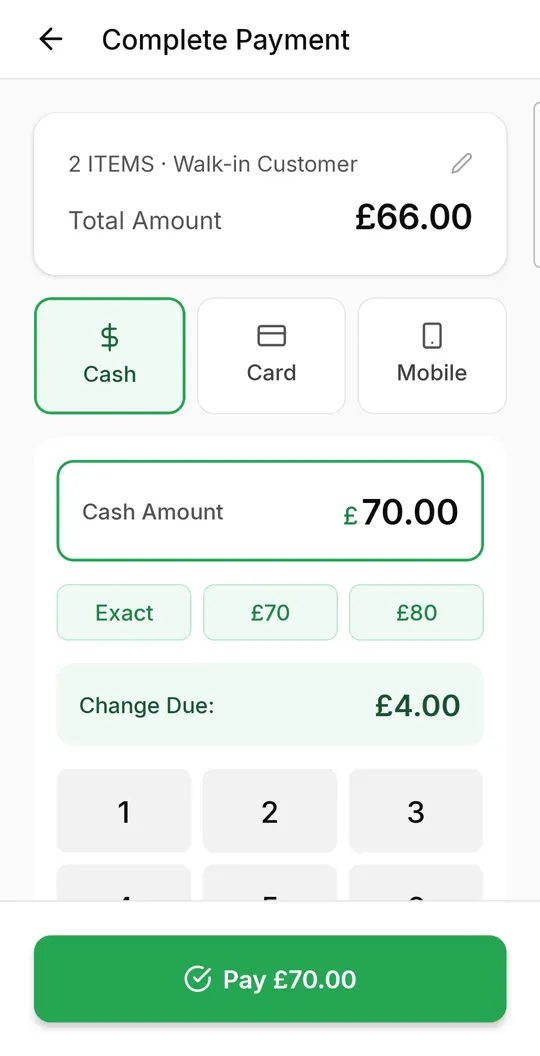
Choose Cash, Card or Mobile. For cash, tap a quick amount or type what the customer gave you, and Numou shows the change due. Tap Pay and confirm.
-
Step 4 of 4
Give the change
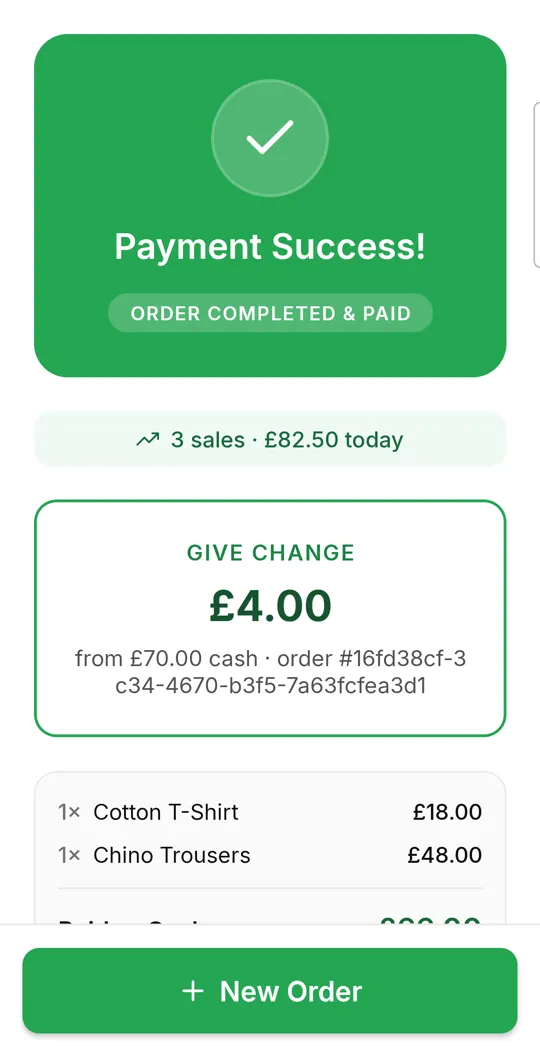
The sale is saved and today’s total updated. Give the change shown, open the receipt to print or share it, and tap New Order for the next customer.