Guides
Short, step-by-step guides with screenshots from the app. Start with the first one if you have just installed Numou.
Popular:
Start here
New to Numou? These three take about six minutes and get you to your first sale.
-
 1
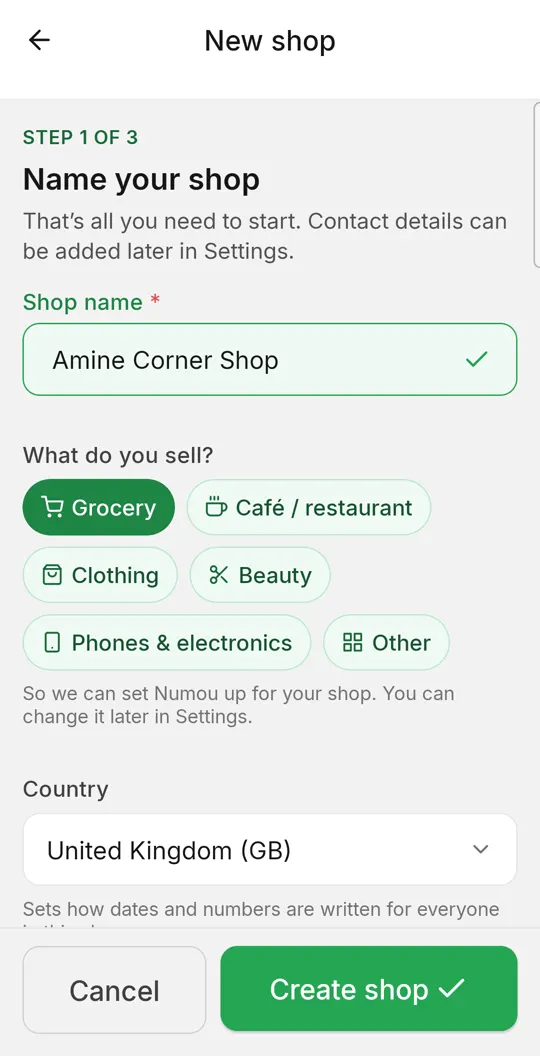
Create your shop
Install Numou, sign in and set up your shop in about a minute: its name, what you sell, the country and the currency.
-
 2
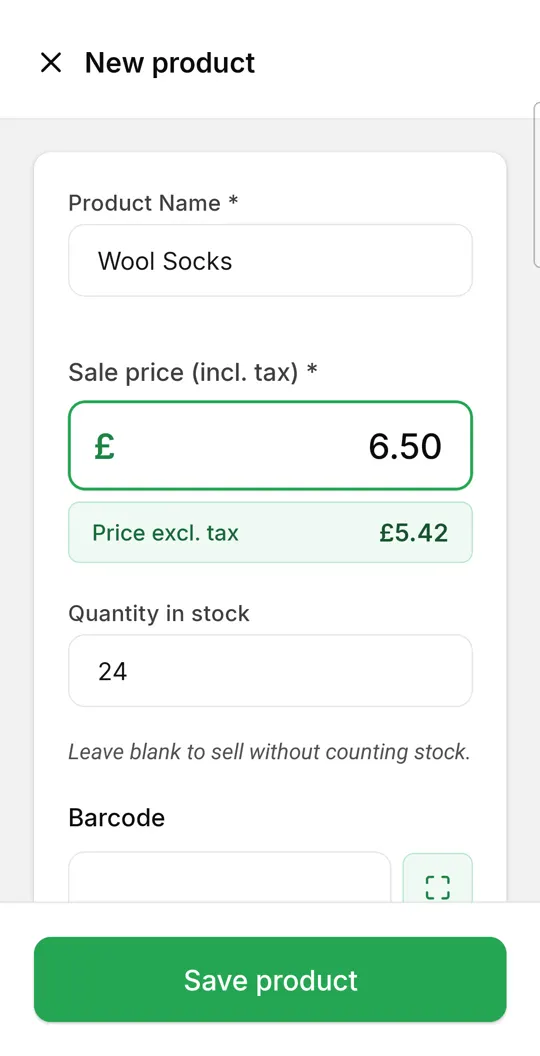
Add a product
Add a product to Numou with just a name and a price, count your stock or sell without counting, and add a barcode, category or photo when you want.
-
 3
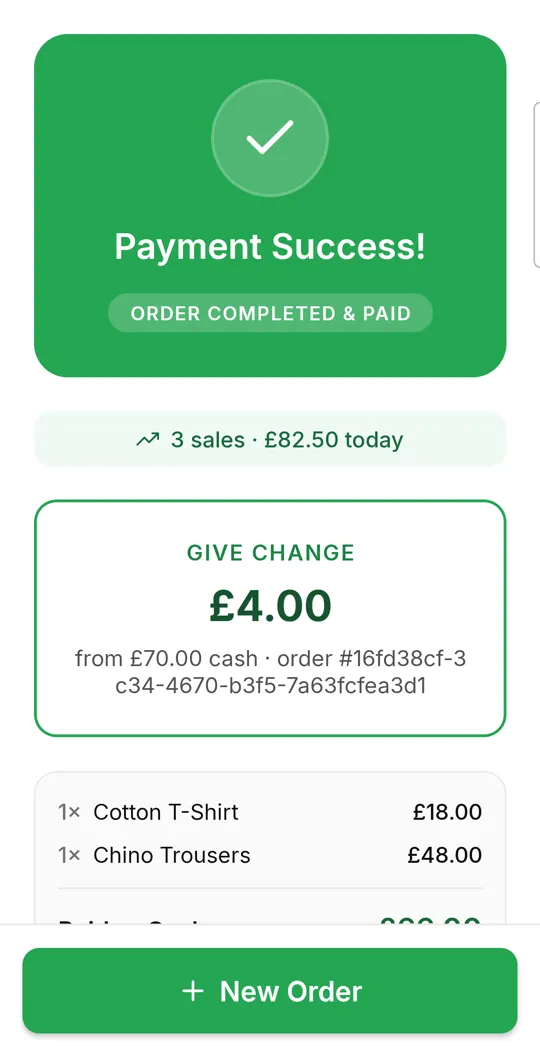
Make your first sale
Ring up a sale in Numou: add products to the cart, take cash, card or mobile payment, give the right change and start the next order.
Browse by topic
Selling
Stock
Team
Reports
Settings and account
- Create your shopGetting startedInstall Numou, sign in and set up your shop in about a minute: its name, what you sell, the country and the currency.
- Add a productGetting startedAdd a product to Numou with just a name and a price, count your stock or sell without counting, and add a barcode, category or photo when you want.
- Make your first saleGetting startedRing up a sale in Numou: add products to the cart, take cash, card or mobile payment, give the right change and start the next order.
- Customers, discounts and held ordersSellingAt the till: put a customer on the sale, give a discount on one item and park an order to finish it later.
- Orders and refundsSellingFind a past sale, print or share its receipt, refund some or all of it, and cancel an order that was never paid.
- Cash drawer and end of daySellingOpen a shift with the cash in the drawer, record money taken out, and close the day with a count and a Z-report.
- Receipts and Bluetooth printerSellingConnect a Bluetooth receipt printer, design your receipt with your logo and a footer, and print or share any receipt.
- CustomersSellingSave your regular customers, find their details and start a sale for them.
- Restock and adjust stockStockSee what is running low, receive a delivery, correct a count and follow every stock movement of a product.
- Count your stockStockDo a stock count on the phone, see the differences and correct the stock in one go.
- Categories and unitsStockGroup products into categories and subcategories for the till, and add the units you sell in: piece, box, kilogram, litre.
- SuppliersStockKeep your suppliers’ contacts in one place and call, email or find them in one tap.
- Add your staffTeamGive each employee their own sign-in, choose what they can do and let them use a PIN at the till.
- Roles and permissionsTeamCreate roles like Cashier that only see the features you switch on.
- Shared store devicesTeamSet up a phone or tablet that stays at the counter, where each employee signs in with their PIN.
- Dashboard and analyticsReportsToday’s sales at a glance, then revenue, profit, margin and tax by day, week or month.
- Shop settings and languageSettings and accountChange your shop’s details, currency, country and the app’s language.
- TaxesSettings and accountSet your tax rates, the default rate for new products and whether your prices include tax.
- Plans and your subscriptionSettings and accountCompare Free, PRO and Grow, pay monthly or yearly through Google Play, and see your current plan.
- Your accountSettings and accountEdit your profile, change your password or PIN, download your data or delete your account.
No guide matches that. Try another word, or write to us. contact@numou.tech