Cash drawer and end of day
Open a shift with the cash in the drawer, record money taken out, and close the day with a count and a Z-report.
- 1Open the cash drawer
- 2Count the opening cash
- 3Watch what should be there
- 4Record cash in and out
- 5Close the shift
- 6Read the Z-report
- 7Look back
-
Step 1 of 7
Open the cash drawer
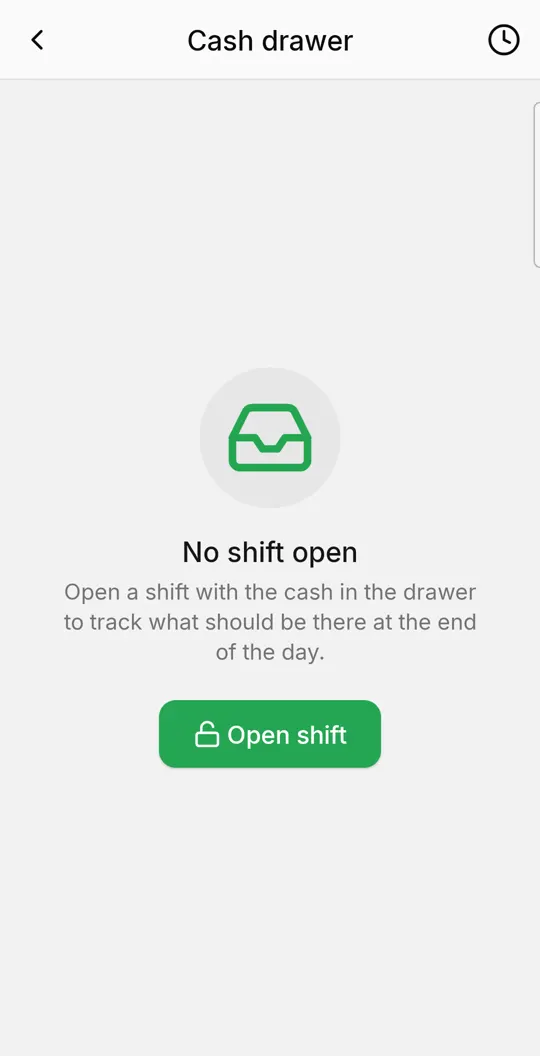
Open Cash drawer from the menu. With no shift open, tap Open shift.
-
Step 2 of 7
Count the opening cash
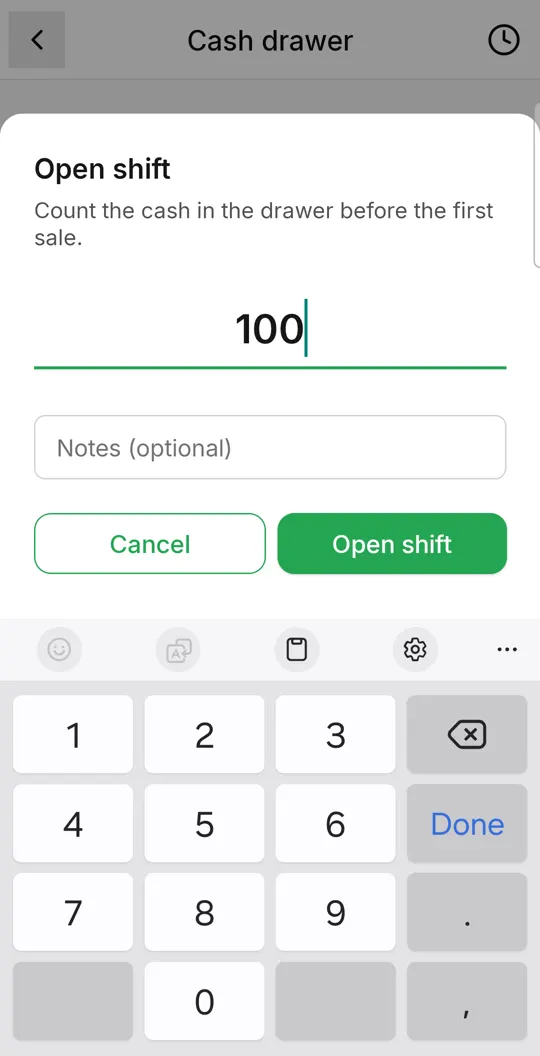
Count the cash in the drawer before the first sale, type it and tap Open shift.
-
Step 3 of 7
Watch what should be there
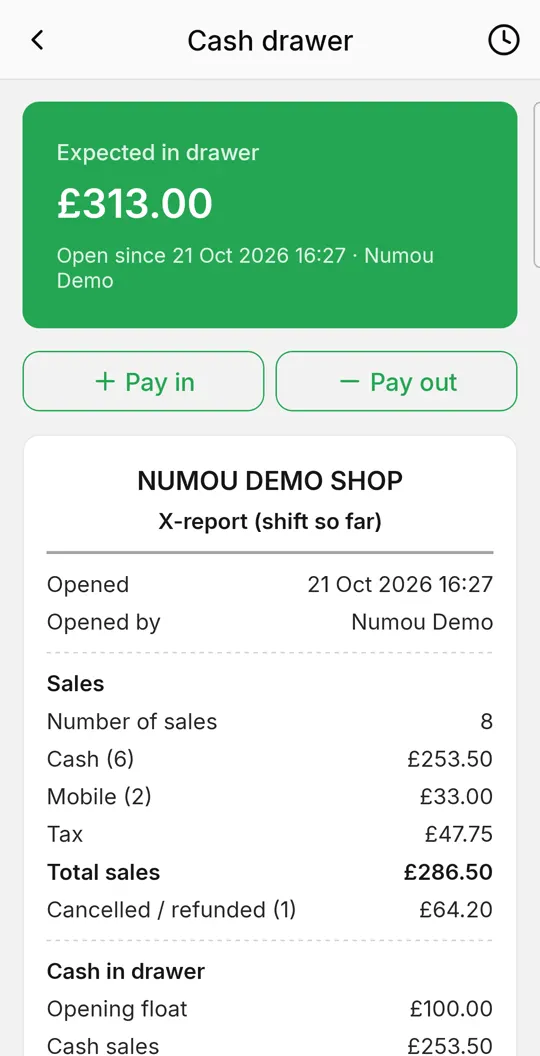
Expected in drawer goes up with every cash sale. Below it, the X-report shows the shift so far: sales by payment type, tax, refunds.
-
Step 4 of 7
Record cash in and out
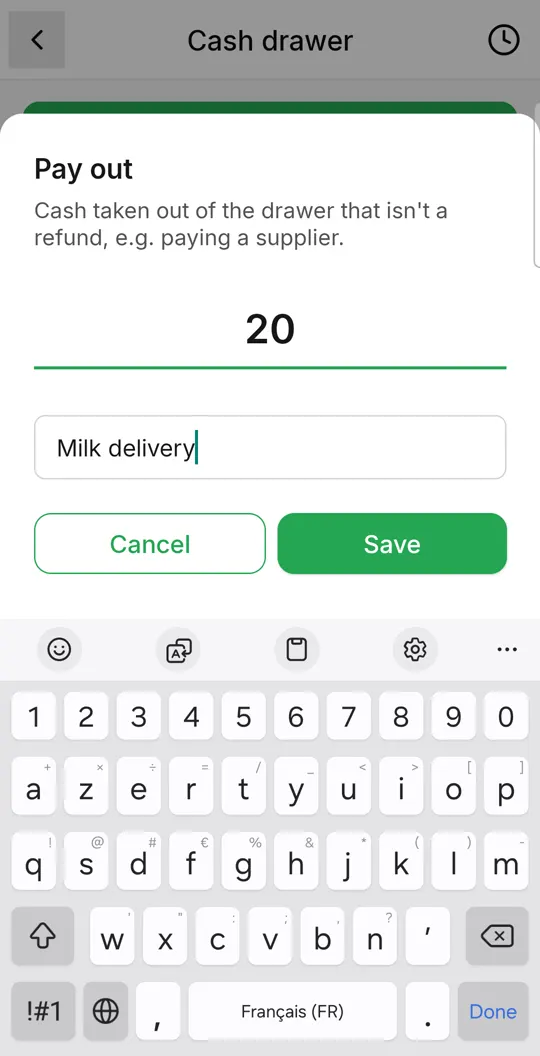
Paid a supplier or a delivery from the till? Tap Pay out, type the amount and a reason. Use Pay in when you add cash, for example change.
-
Step 5 of 7
Close the shift
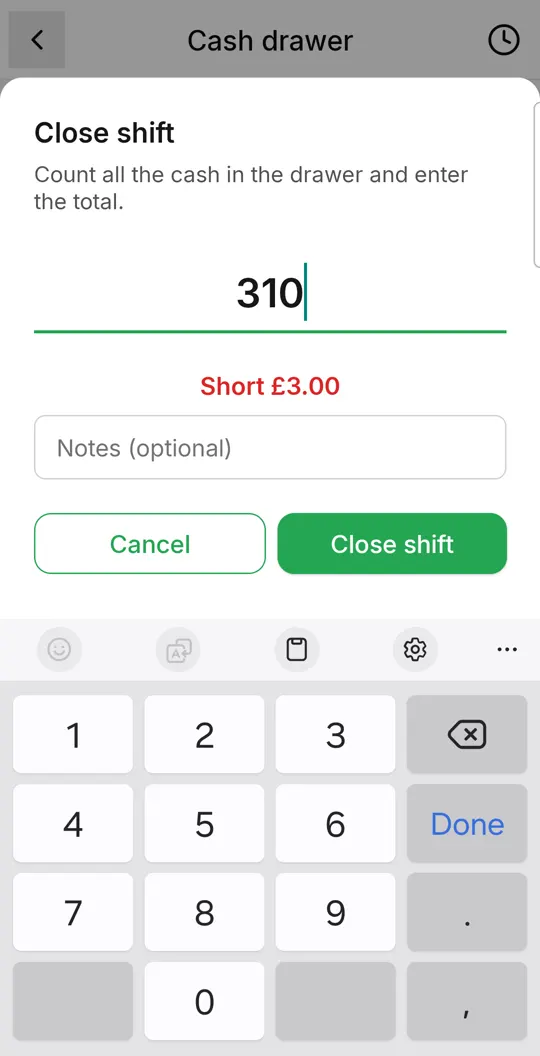
At the end of the day scroll down, tap Close shift, count all the cash and type the total. Numou tells you at once if the drawer is short, over or balanced.
-
Step 6 of 7
Read the Z-report
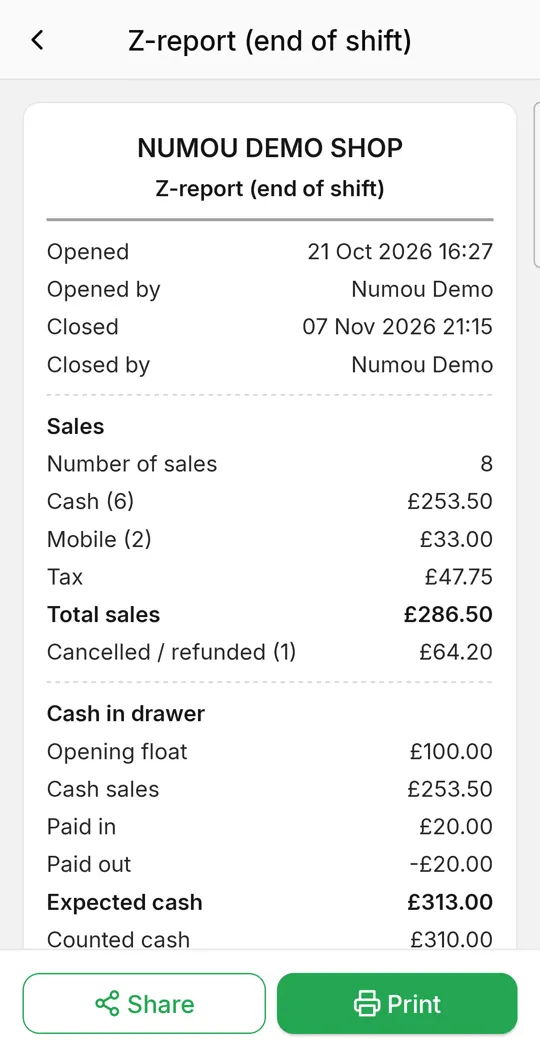
The Z-report sums up the shift: sales, cash, card and mobile, tax, refunds and the counted cash. Tap Share or Print to keep a copy.
-
Step 7 of 7
Look back
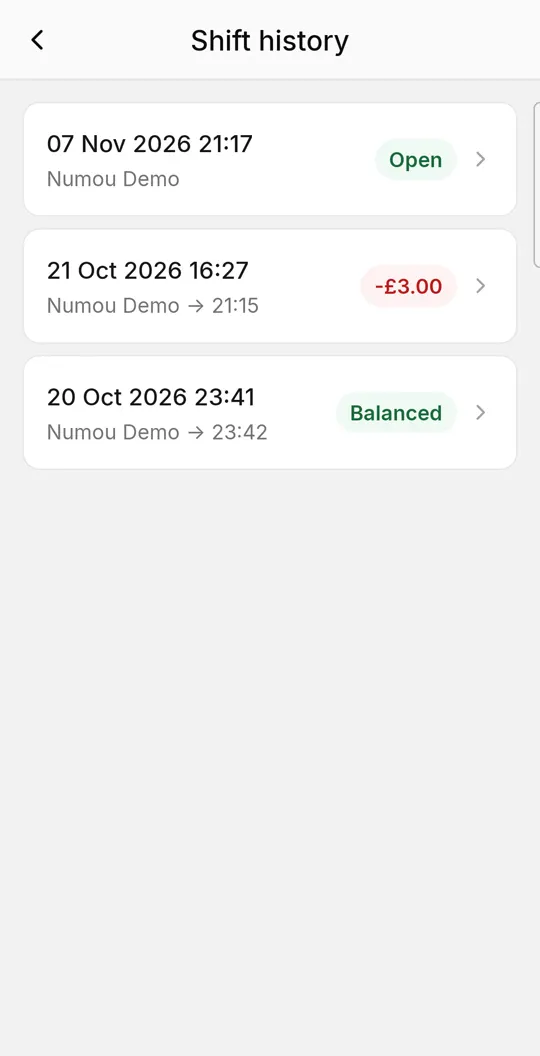
The clock icon at the top opens Shift history: every shift with who opened it and whether it balanced.