Roles and permissions
Create roles like Cashier that only see the features you switch on.
-
Step 1 of 2
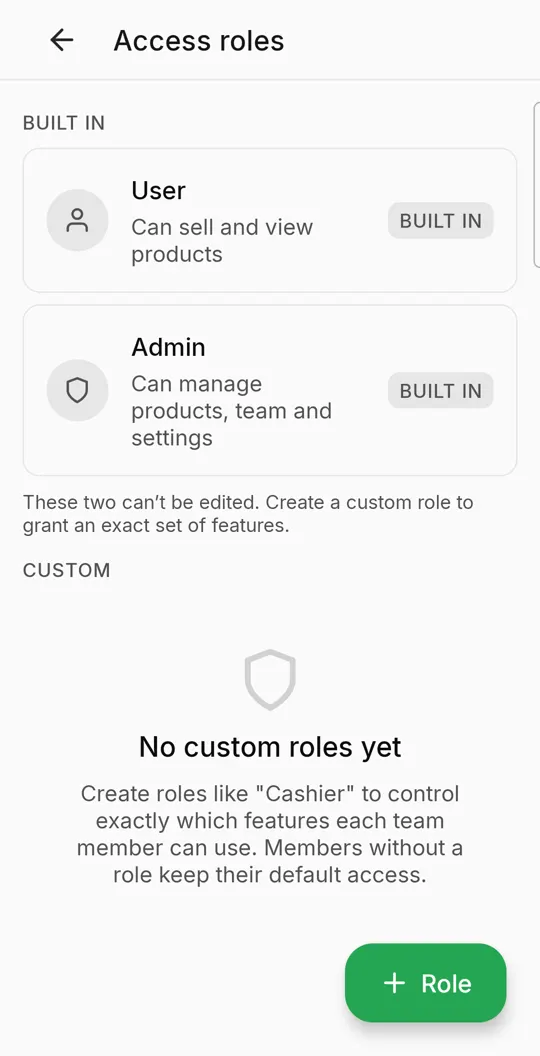
See the roles
Open Roles & permissions from the menu. The two built-in roles cannot be edited. Tap Create role.
-
Step 2 of 2
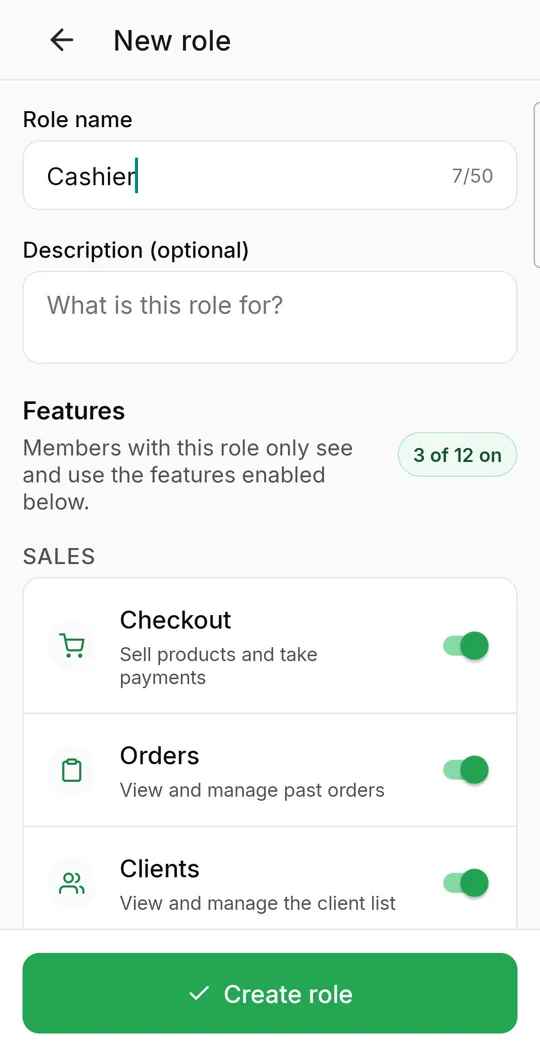
Choose the features
Name the role, add a description if you like, and switch on the features it may use: Checkout, Orders, Clients, Products, Inventory and more. People with this role only see what is switched on. Tap Create role, then pick it when you add or edit an employee.