Shop settings and language
Change your shop’s details, currency, country and the app’s language.
-
Step 1 of 3
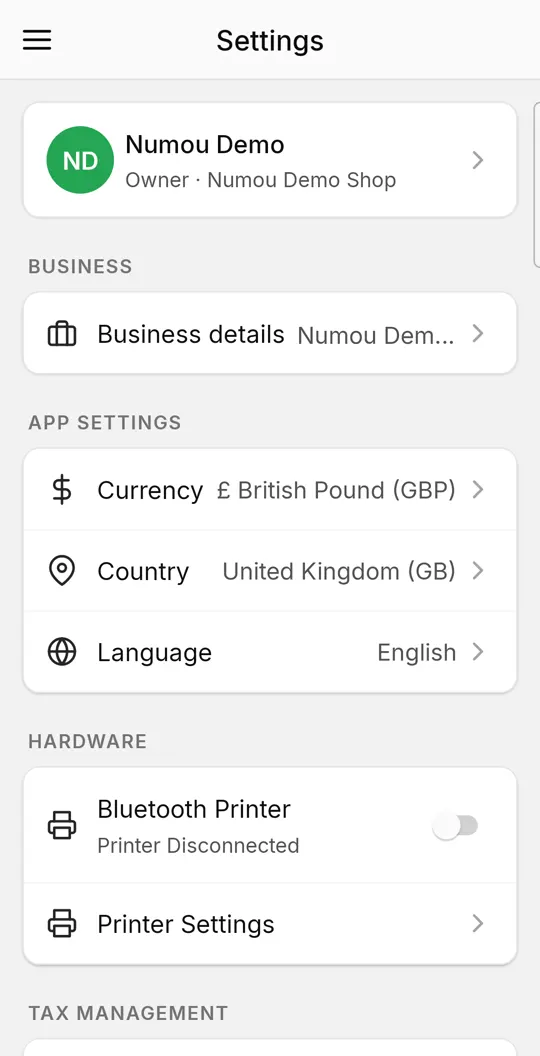
Open Settings
Open Settings from the menu: business details, currency, country, language, printer, taxes, receipt design and support are all here.
-
Step 2 of 3
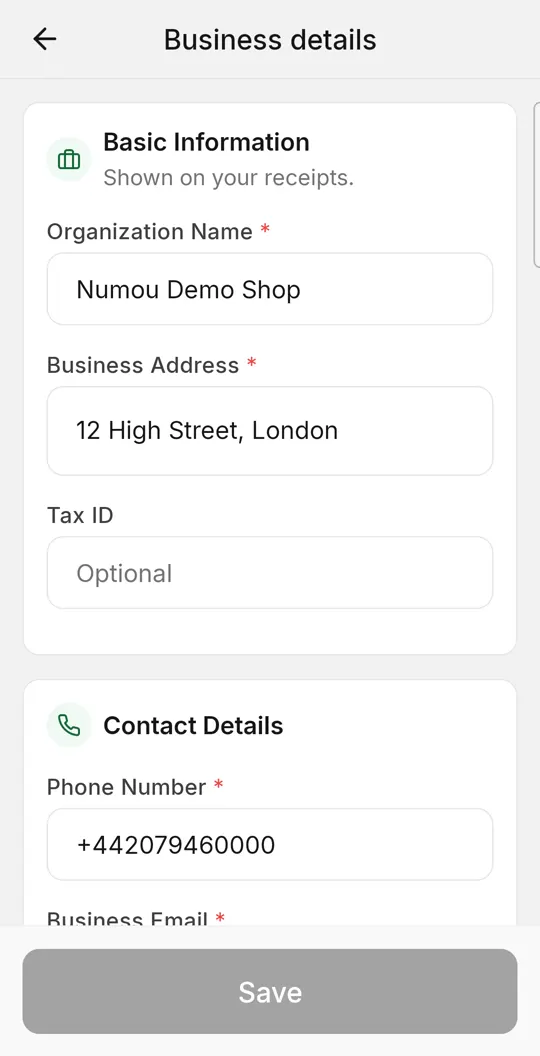
Business details
The shop name, address, tax ID, phone and email shown on your receipts. Tap Save when done.
-
Step 3 of 3
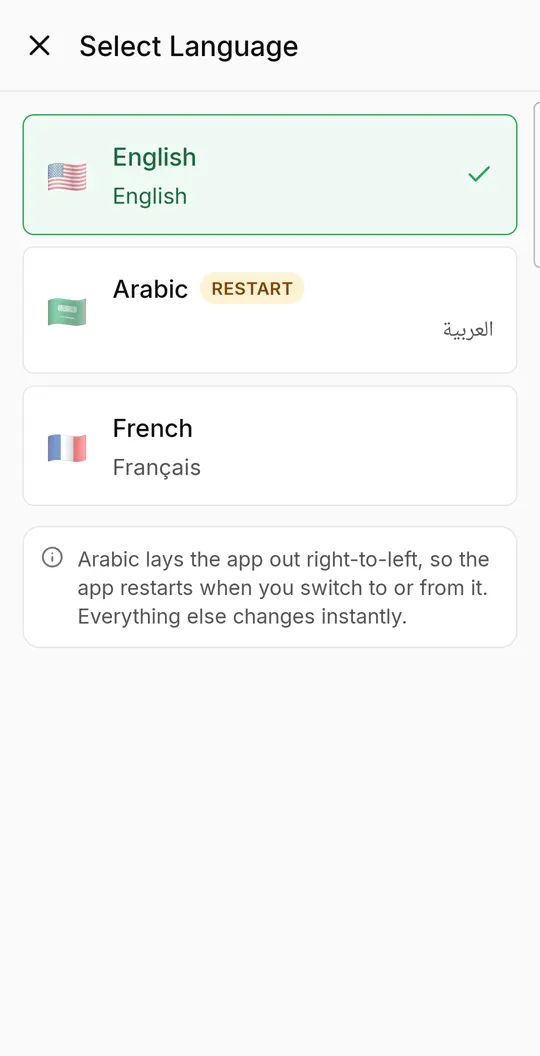
Language
Tap Language to switch between English, Français and العربية. Arabic lays the app out right to left, so the app restarts when you switch to or from it.