Orders and refunds
Find a past sale, print or share its receipt, refund some or all of it, and cancel an order that was never paid.
-
Step 1 of 4
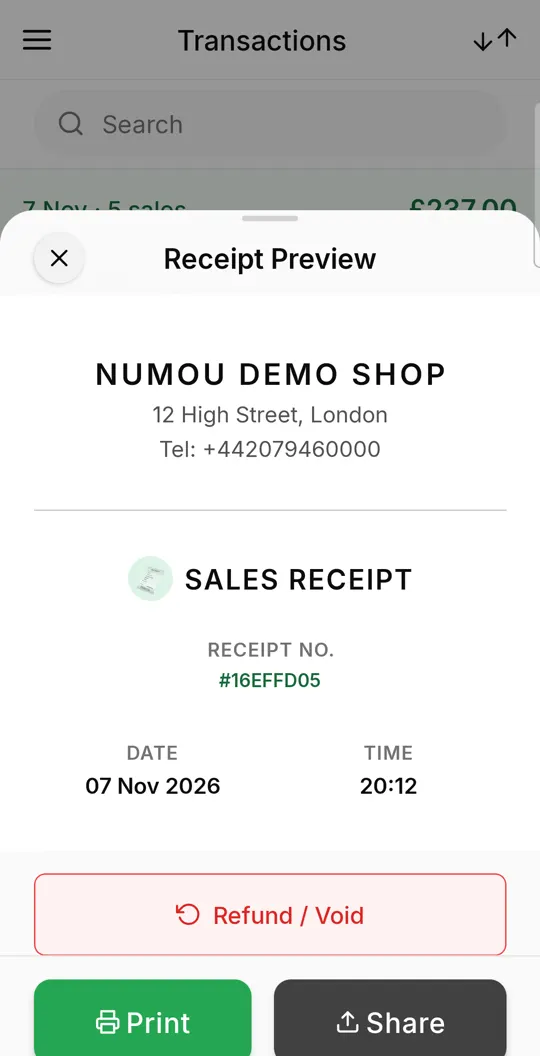
Open a sale
Open Orders from the menu. Filter by All, Pending, Completed or Cancelled, or search. Tap a paid sale to see its receipt, with Print receipt, Share receipt and Refund / Void.
-
Step 2 of 4
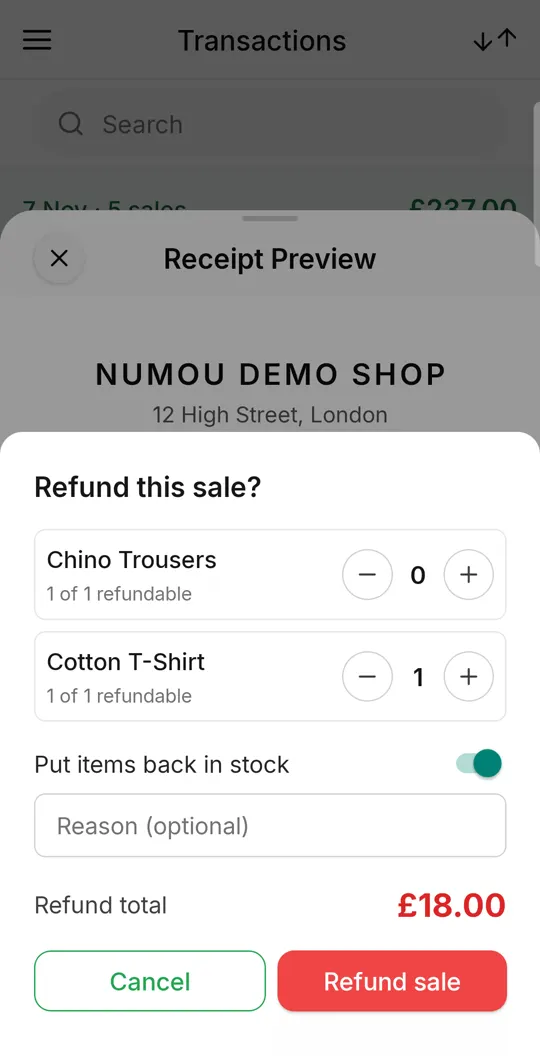
Refund all or part of it
Tap Refund / Void. Use − and + to choose how many of each item come back, keep Put items back in stock on if they can be sold again, add a reason if you like, and confirm. The refund total is shown before you do.
-
Step 3 of 4
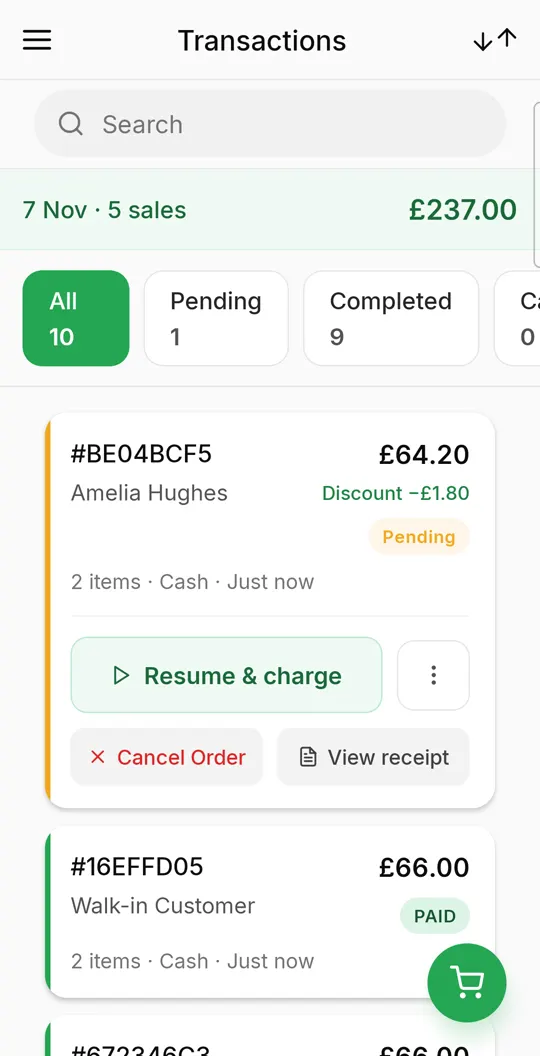
Cancel an unpaid order
For a held order that will never be paid, tap it, then More and Cancel Order. View receipt shows what was in it.
-
Step 4 of 4
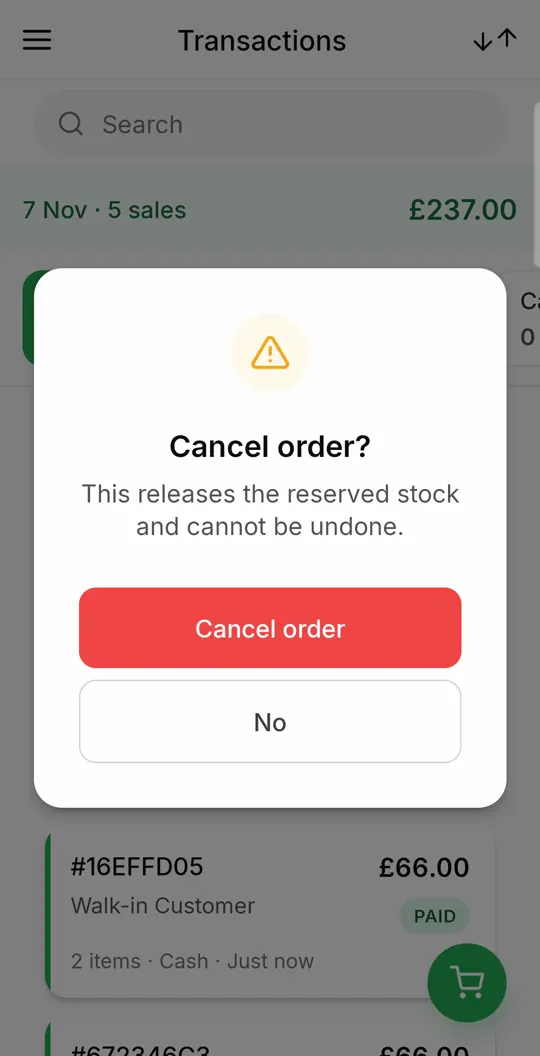
Confirm
Tap Cancel order to confirm. The stock that was set aside for it is released. This cannot be undone.